Eldon Grove Academy
Communication
We use the free ClassDojo app as our main way to communicate with parents. It offers a direct window into the classroom—allowing you to celebrate your child's achievements, view photos of daily learning, and stay up to date on trips and events without worrying about lost paper notes.
To get started:
-
Download the ClassDojo app on your phone or tablet.
-
Ensure we have your current email address (email us at admin@eldongroveacademy.co.uk if needed).
-
Look out for an email invitation from your child’s teacher with your class access code.
If you do not have access to a digital device, a small number of paper copies for key announcements will be available at reception.
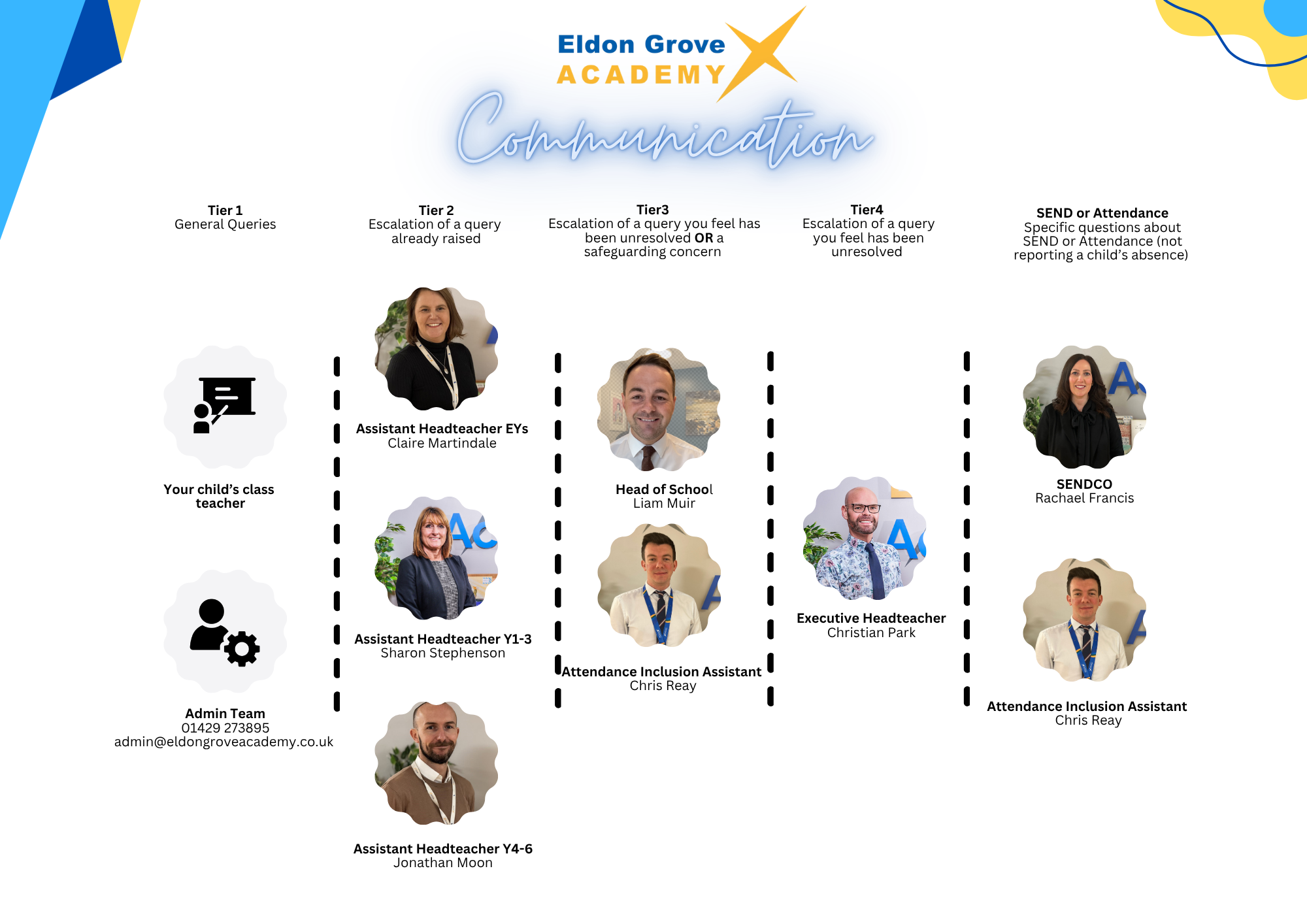
How to Reach the Right Team at Eldon Grove Academy
To make sure your questions are answered quickly and efficiently, please follow our stepped guide:
-
Tier 1 (General Queries): Start by speaking with your child’s class teacher or our Admin Team (01429 273895 / admin@eldongroveacademy.co.uk).
-
Tier 2 (Escalations): If your query needs further attention, contact the Assistant Headteacher for your child's year group:
-
Early Years: Claire Martindale
-
Years 1–3: Sharon Stephenson
-
Years 4–6: Jonathan Moon
-
-
Tier 3 (Unresolved Issues or Safeguarding): Escalated to Liam Muir (Head of School) or Chris Reay(Attendance Inclusion Assistant).
-
Tier 4 (Final Escalation): Direct any remaining unresolved concerns to Christian Park (Executive Headteacher).
Direct Contacts for Specific Needs:
-
SEND Questions: Rachael Francis (SENDCO)
-
Attendance Questions: Chris Reay (Attendance Inclusion Assistant)
(Note: Do not use this contact for reporting a daily absence).